
Run your shop floor, end-to-end.
One system for quoting, production, inventory, purchasing and shipping — built for high-mix, low-volume shops.
Quote-to-cash in a single workflow Automatic scheduling Live job tracking
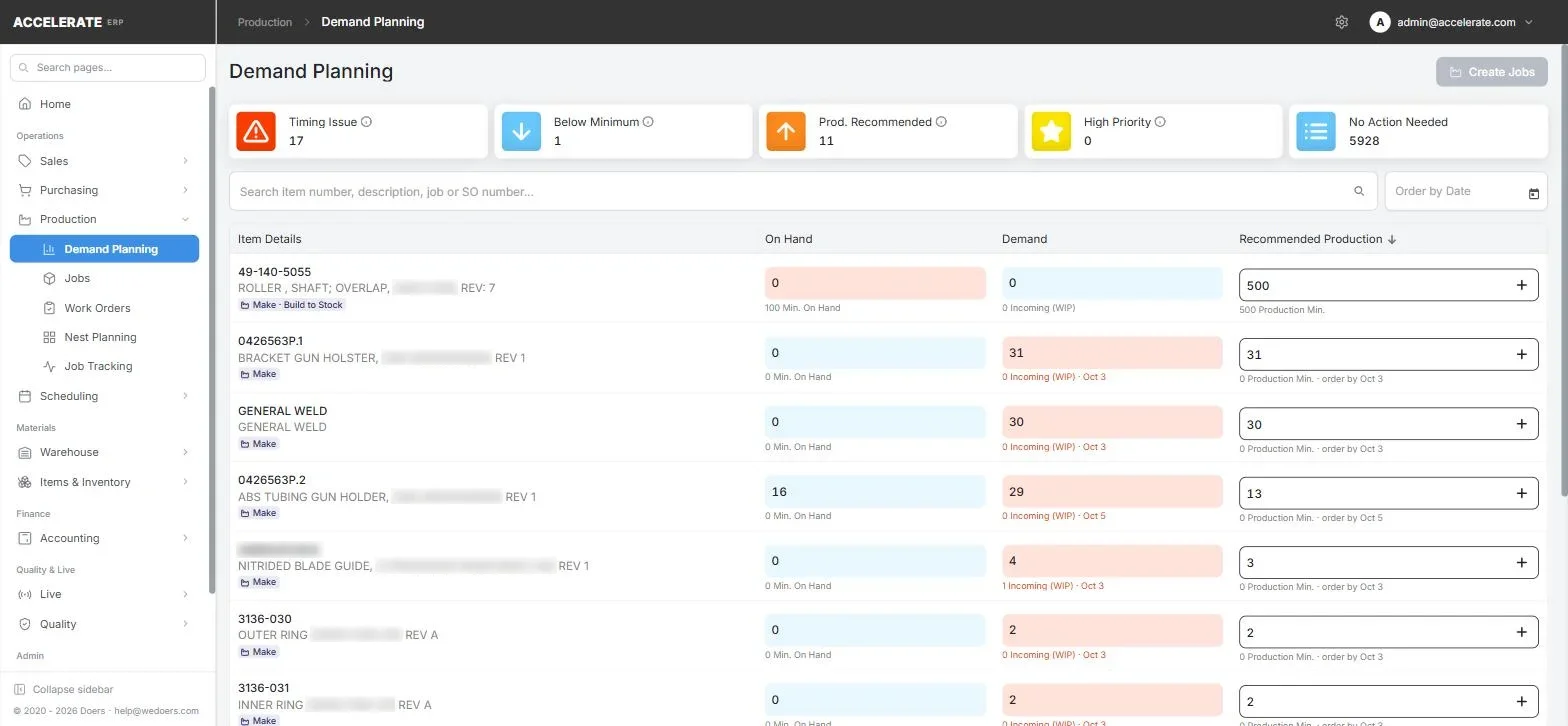
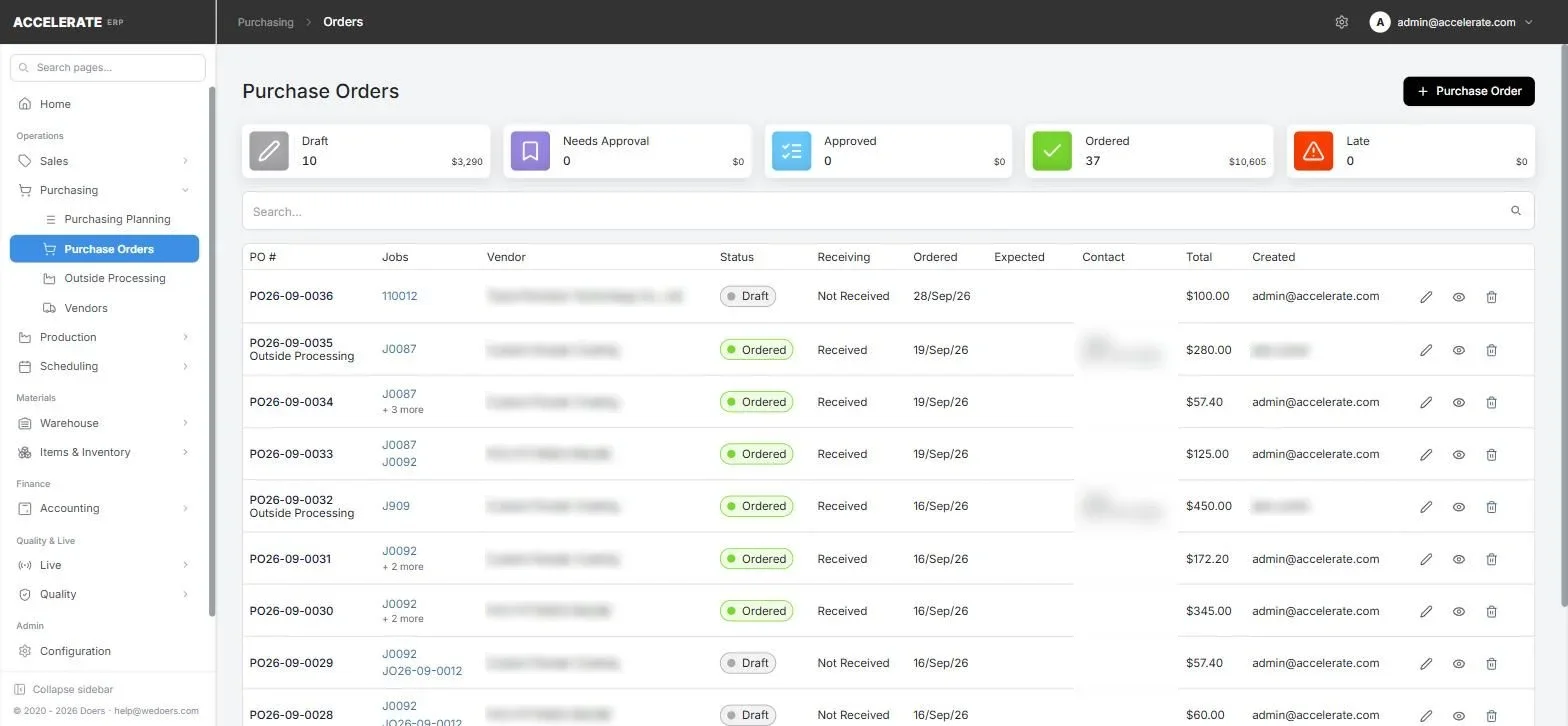
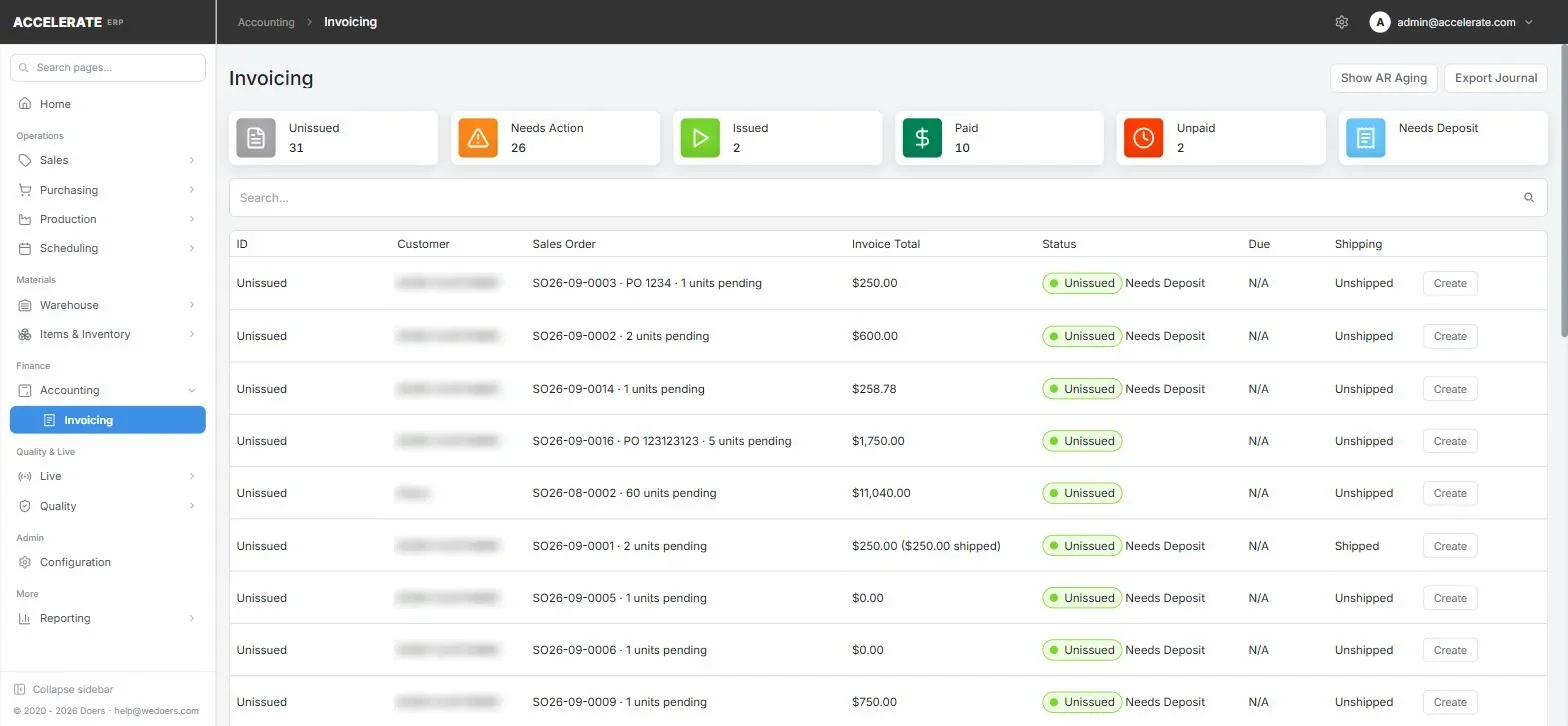
One connected flow, from first quote to final invoice
Quote Sales order Job Schedule Purchase Receive Ship Invoice
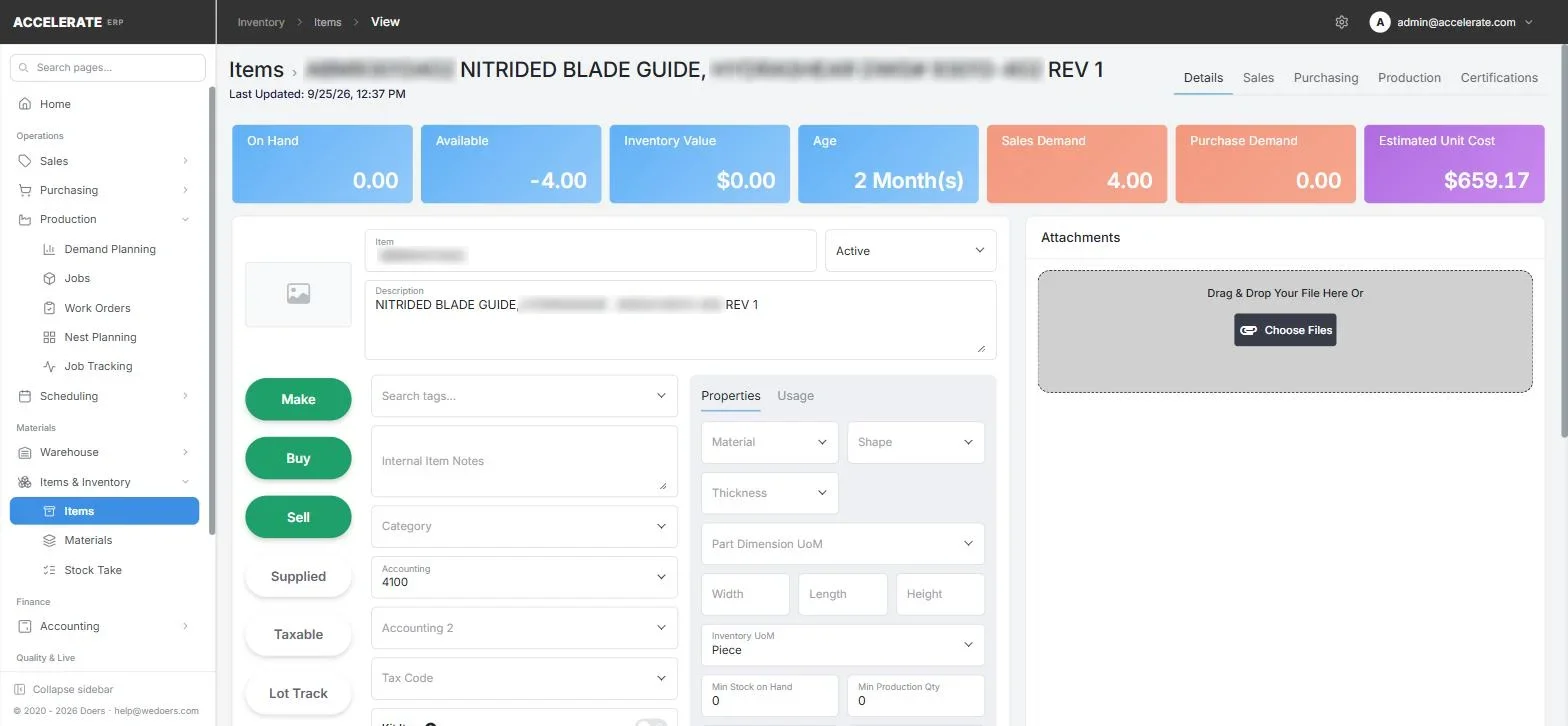
Everything is connected.
Each module shares the same items, jobs and orders, so nothing gets typed twice and every number traces back to its source.
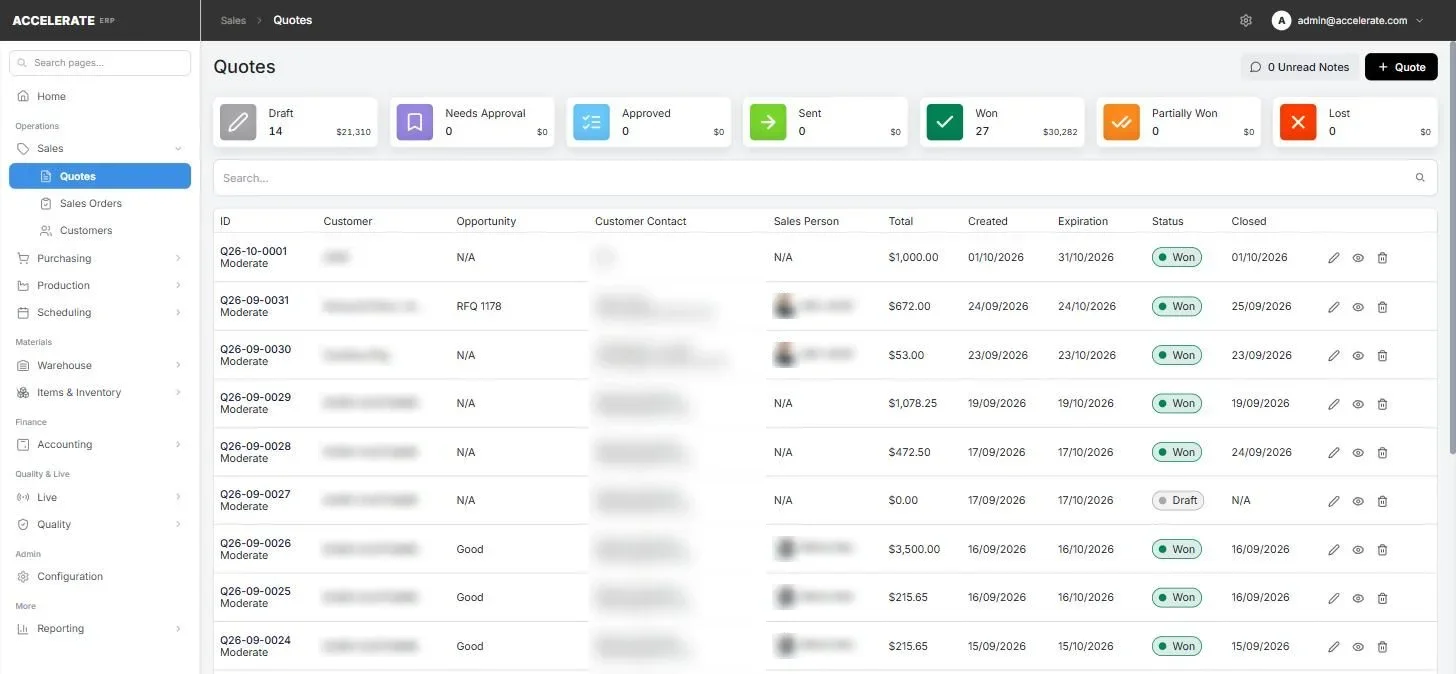
Quote fast, then turn the win into work.
Quantity price breaks, customer tiers and customer-specific pricing Approval, sent, won and lost statuses you can see at a glance Email a branded PDF, convert to a sales order, create the jobs
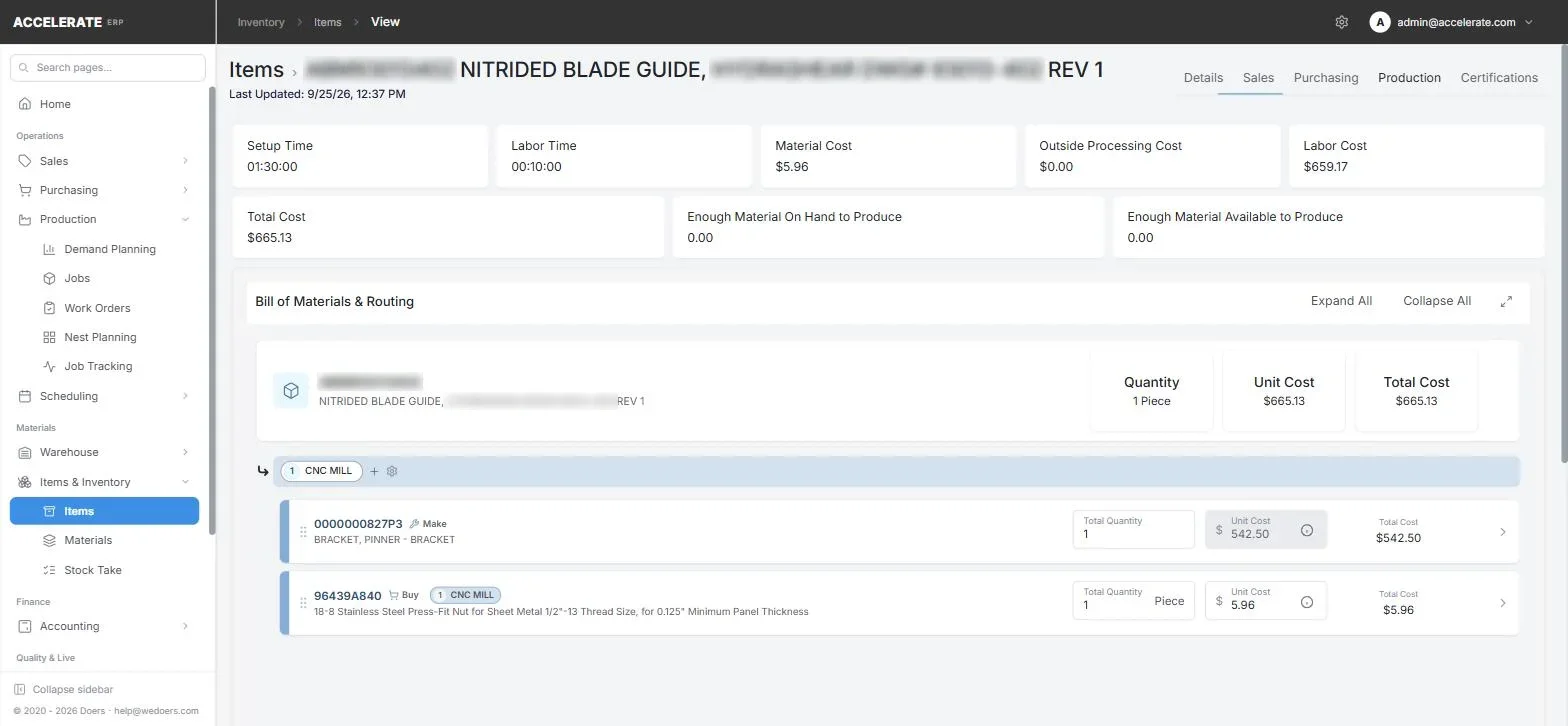
Know exact job costs, before and after.
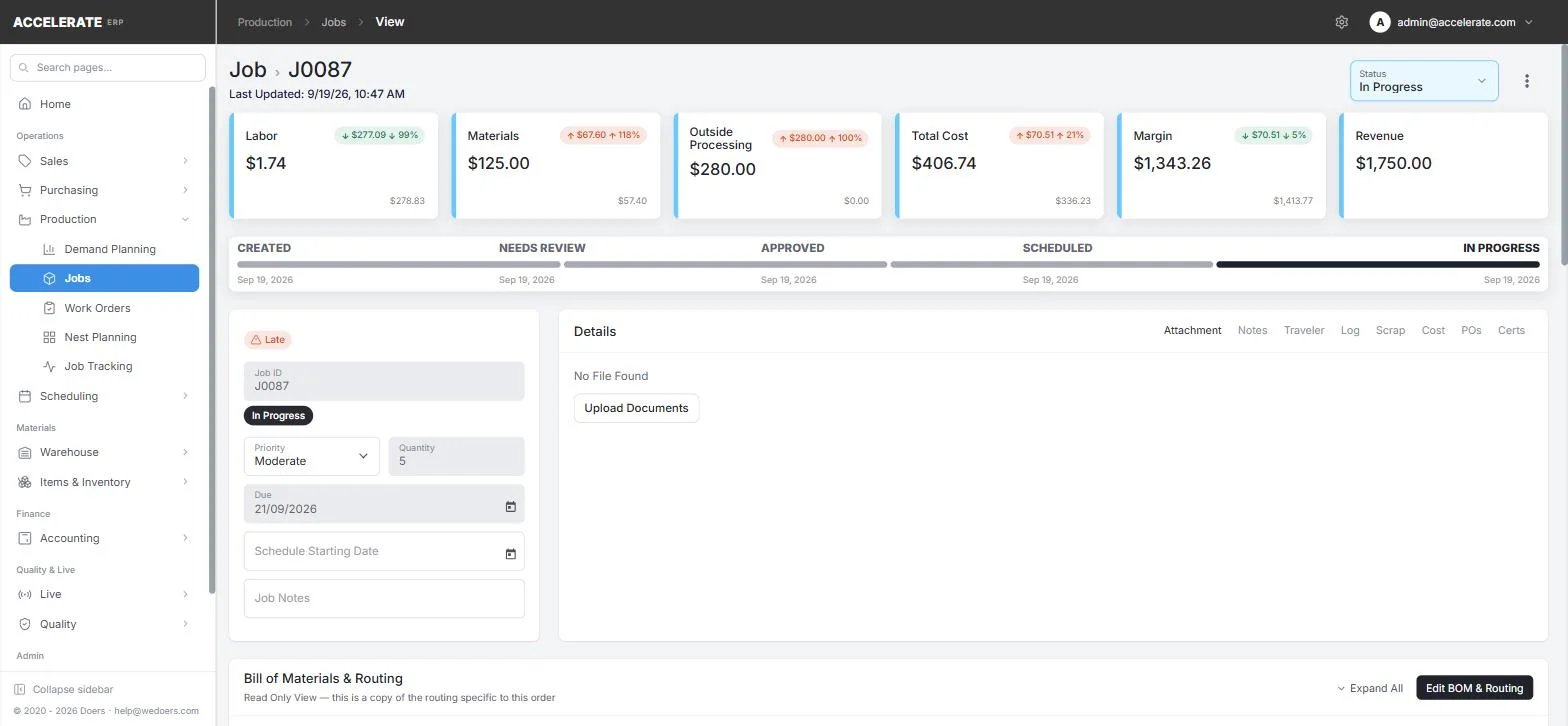
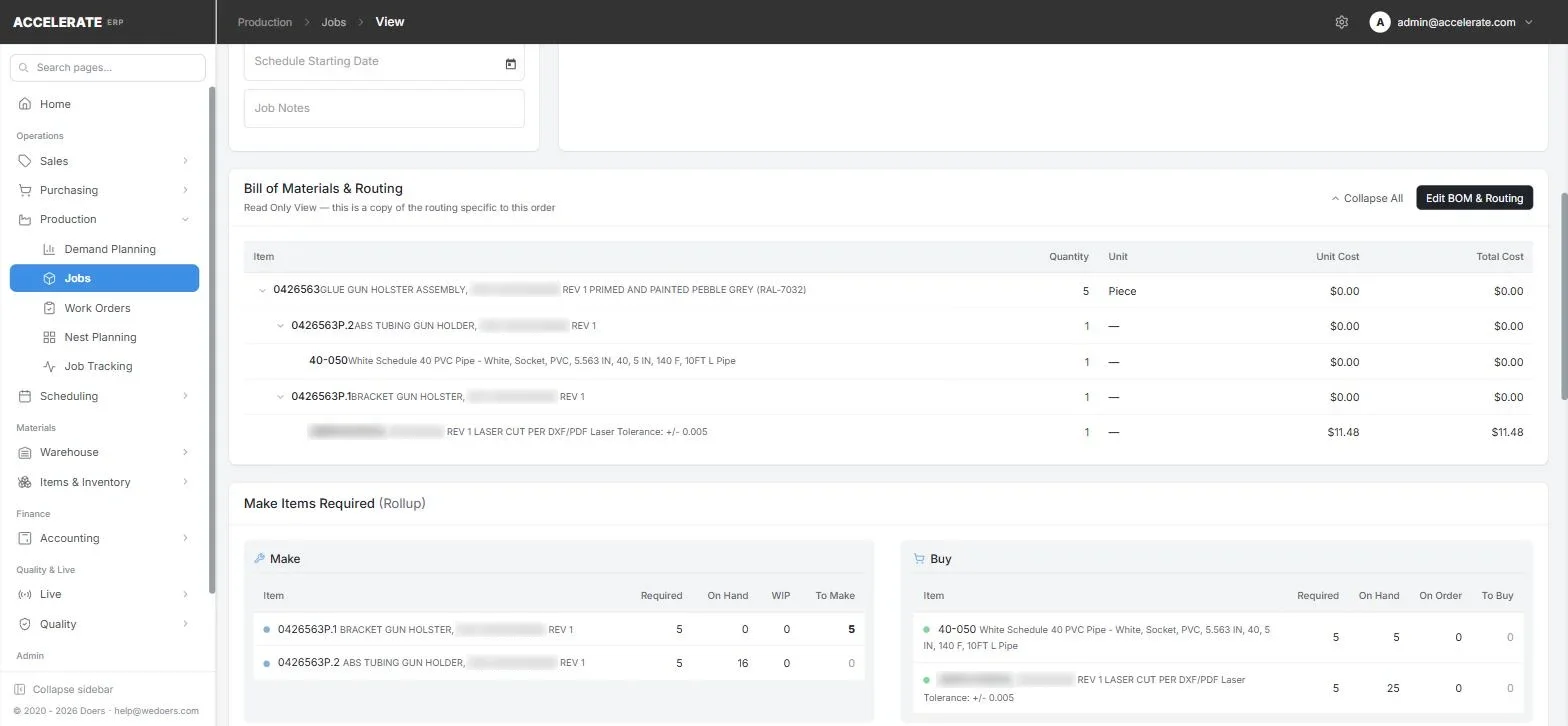
The same BOM and routing that prices the quote drives the job. As operators clock time and material is issued, actual cost builds up next to the estimate.
Cost breakdown per item: material, labor, machine, outside processing Cost per unit at every quantity break Job cost roll-up across sub-assemblies
A schedule that builds itself every night.
Accelerate places every operation on the right work center using capacity, equipment calendars, material availability and due dates. You adjust; it reflows the rest.
Greedy or just-in-time scheduling Freeze window keeps today and tomorrow stable Drag to pin an operation, filter by department Automatic nightly reschedule
Quote from the nest, cut from the nest.
Import DXF part geometry and Accelerate packs true part shapes onto sheets. Material usage from the nest feeds straight into the price and, later, the cut package.
DXF import with true-shape nesting Sheet usage and material split per part Downloadable cut package; mark nests as cut
Paper travelers, retired.
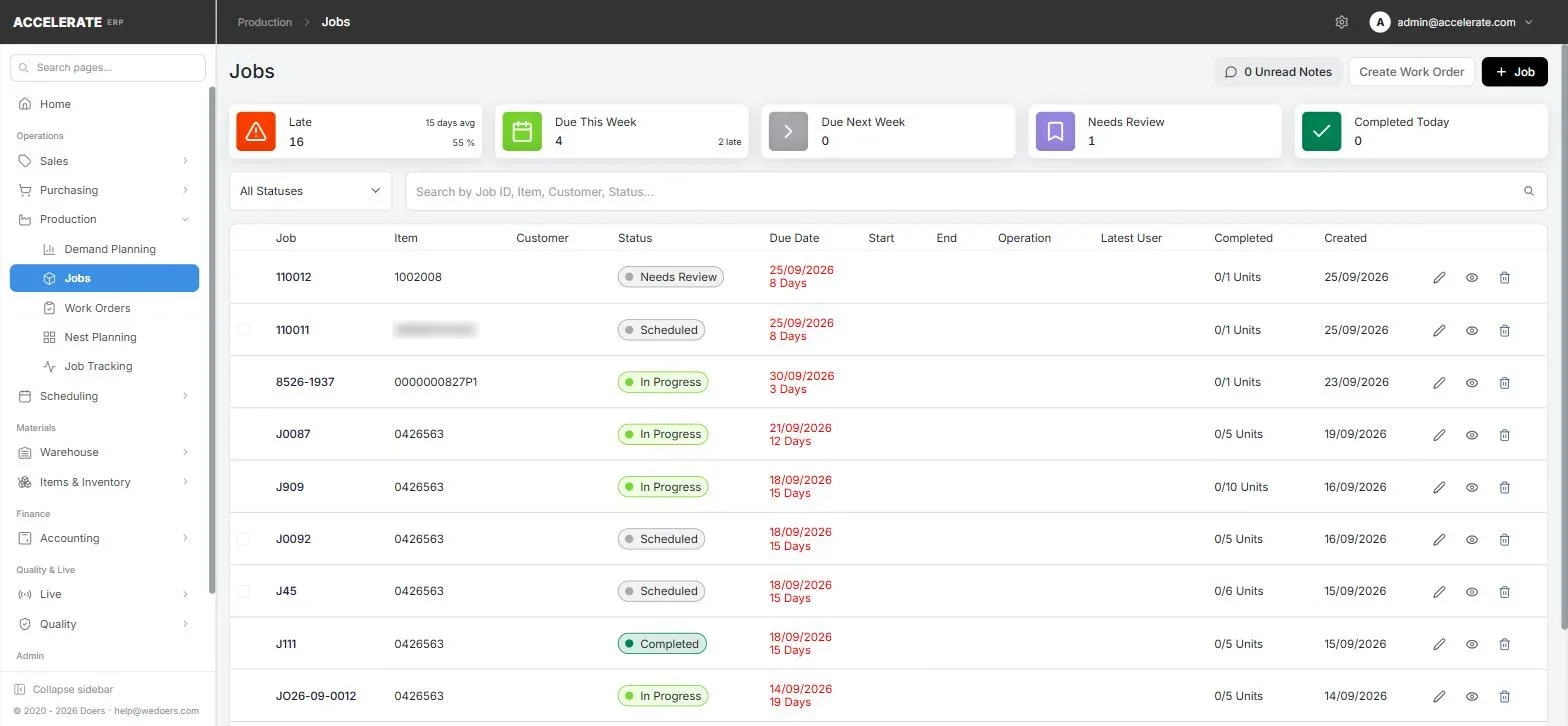
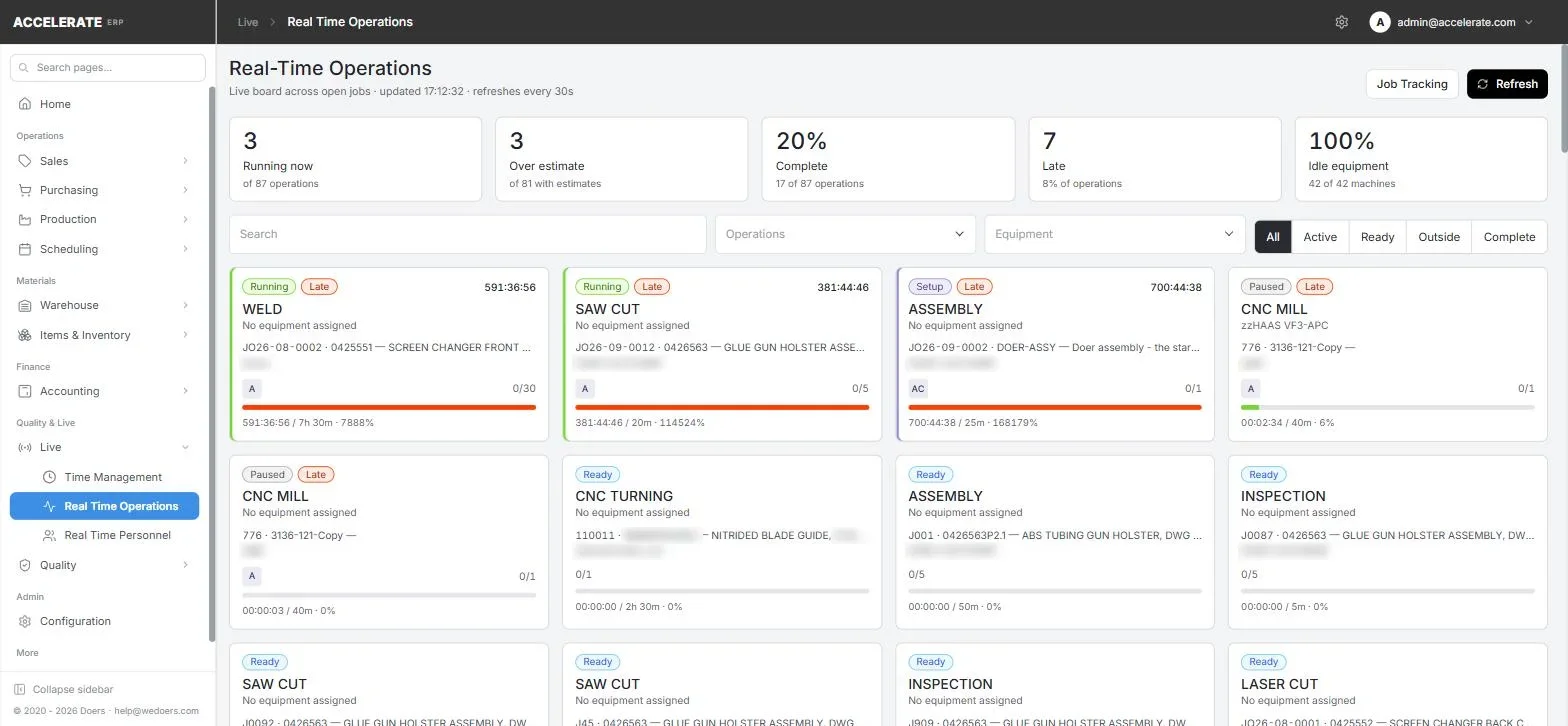
Operators sign in at a kiosk with a PIN, see their queue, and clock onto operations. Supervisors watch work and people live, without walking the floor.
Start, pause and complete operations from any tablet Checkpoints and tracked fields recorded in process Routing files and drawings at the operation Live view of active operations and personnel
The details a working shop needs.
Roles & permissions
Control who can see and do what, down to each action on each screen.
Documents & email
Quotes, orders, POs and invoices as PDFs, sent through your own mail server.
Barcode labels
Print labels for items, jobs and receipts.
Pricing depth
Item, customer, tier and vendor price breaks.
GL export
Export receivables, sales, inventory and COGS entries for accounting.
English & Spanish
Switch the interface language per user.
Quality
Non-conformance reports, corrective actions, scrap and rework reasons.
Live updates
Shop-floor activity appears as it happens.
Built for shops that build to order.
Sheet-metal fabricators
Nest parts, price from real sheet usage and send cut packages to the floor.
CNC & machine shops
Routings with setup and run times, scheduled across machines and tracked per operation.
Job shops
High-mix, low-volume work quoted quickly and costed accurately, job after job.
Contract manufacturers
Multi-level assemblies, outside processing and purchasing tied to demand.
Questions, answered.
Who is Accelerate built for?
Custom and contract manufacturers running high-mix, low-volume work: sheet-metal fabricators, machine shops and job shops that quote, build and ship to order.
What does it cover?
The whole flow from quote to invoice: quoting, sales orders, BOM and routing, jobs and costing, scheduling, nesting, purchasing, receiving, inventory, quality, shipping and invoicing.
Do operators need their own computers?
No. The job-tracking kiosk runs in a browser on a shared tablet or PC. Operators sign in with a PIN and clock onto operations from there.
Does it work with our accounting system?
Accelerate handles invoicing and produces a general-ledger export you can bring into your accounting system.
Which languages are supported?
The interface is available in English and Spanish.
How do we get started?
Book a demo. We will walk through your workflow in the product and talk through what getting set up looks like for your shop.
See your own workflow running in Accelerate.
Tell us what you make and how you quote it. We'll walk you through the product, from the first quote to the final invoice.